KDE Marble

| Marble | |
|---|---|
 | |
| License: | GNU Lesser General Public License |
| Platforms: | Windows, macOS, and Linux |
| Languages: | German, English, and ... |
| Website: | http://marble.kde.org |
| Source code: | https://cgit.kde.org/marble.git |
| Programming language: | C++ |
|
Virtual globe with multiple projections, tiles and vector data, routing and POI search | |

Marble is a A KDE globe program and also a widget for displaying or editing geographic data in other KDE applications.
Wikipedia article: Marble (KDE)
OpenStreetMap Integration
Marble supports different map themes. One of them is OpenStreetMap's Mapnik tiles. They can be activated in the 'Map View' panel (bottom left) by clicking on the "OpenStreetMap" theme. It is also possible to create more map themes and define many tiles together thanks to an overlay and blending algorithm. Inside the OpenStreetMap map theme it's also possible to conveniently access the "Edit->Edit Map" menu entry. This will open JOSM, Merkaator or Potlatch for the current region that is being displayed in Marble.
Marble has a search function for POIs which queries nominatim.openstreetmap.org among other services.
Marble also has a tracking function to display current track, save it to kml.
Routing is possible using OpenRouteService, MoNav, Routino, Gosmore, YOURS and MapQuest as a backend. Since version 1.0, turn-by-turn instructions, a route guidance mode and voice navigation is supported.
Last, it is possible to display many vector files, including gpx, kml, osm, pnt and (when compiled against libshape) ESRI shapefiles.
Torsten Rahn gave a presentation about Marble at State Of The Map 2008
Making a very high-res image
You can simply take a screenshot of Marble to get a fairly big image of an OpenStreetMap globe, but this is limited by your screen-resolution, and for printing you may want a high-er resolution (bigger) image.
This can be done by simulating a giant desktop. Most of these commands need to be executed in their own window or backgrounded with &)
- with Ubuntu you will need the packages:
xvfb x11vnc xvnc4viewer imagemagick netpbm mkdir /tmp/marblefbXvfb -ac :1 -fbdir /tmp/marblefb -screen 0 4096x4096x24
or whatever resolution you wantx11vnc -scale .5 -display :1
the scale factor will make it easier to work with your big desktop - less scrollbars. You can even go so far as to use .1 or so because you only need the mouse to move the globe around.vncviewer localhost :0
this should open an empty window - yes :0 is correct here even though the rest has :1DISPLAY=:1 marble -geometry 4096x4096+0+0
or whatever resolution you used for Xvfb- now play with Marble until you like the picture
xwdtopnm < /tmp/marblefb/Xvfb_screen0 | pnmtopng > /tmp/marble.png- now you can terminate the lot and use /tmp/marble.png
Frederik Ramm used these techniques to create graphics for an OpenStreetMap flyer. [1]
Screenshots
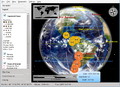
A satellite map with real-time clouds and historic earthquakes
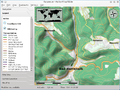
Osmarender map theme with hill shading
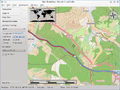
GPS Tracking
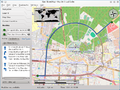
Routing with support for alternative routes
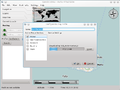
Downloading maps for offline routing
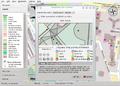
Opening an external map editor
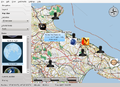
OpenDesktop Online Service
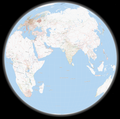
The no longer available tiles@home style


