


OSMTracker (Android)
| OSMTracker for Android | ||||||||||||||||||||||||||||||||||||||||||||||||||||||||||||||||||
|---|---|---|---|---|---|---|---|---|---|---|---|---|---|---|---|---|---|---|---|---|---|---|---|---|---|---|---|---|---|---|---|---|---|---|---|---|---|---|---|---|---|---|---|---|---|---|---|---|---|---|---|---|---|---|---|---|---|---|---|---|---|---|---|---|---|---|
  | ||||||||||||||||||||||||||||||||||||||||||||||||||||||||||||||||||
| Authors: | nguillaumin,elotrojames | |||||||||||||||||||||||||||||||||||||||||||||||||||||||||||||||||
| License: | GNU GPL v3 (free of charge) | |||||||||||||||||||||||||||||||||||||||||||||||||||||||||||||||||
| Platform: | Android | |||||||||||||||||||||||||||||||||||||||||||||||||||||||||||||||||
| Status: | Active | |||||||||||||||||||||||||||||||||||||||||||||||||||||||||||||||||
| Version: | 2025.09 [1] (2025-09-10) | |||||||||||||||||||||||||||||||||||||||||||||||||||||||||||||||||
| Languages: | ||||||||||||||||||||||||||||||||||||||||||||||||||||||||||||||||||
| Website: | https://github.com/labexp/osmtracker-android/wiki | |||||||||||||||||||||||||||||||||||||||||||||||||||||||||||||||||
| Install: | ||||||||||||||||||||||||||||||||||||||||||||||||||||||||||||||||||
| Source code: | labexp/osmtracker-android GitHub | |||||||||||||||||||||||||||||||||||||||||||||||||||||||||||||||||
| Programming language: | Java | |||||||||||||||||||||||||||||||||||||||||||||||||||||||||||||||||
|
Offline GPS tracker with fast POI placement shortcuts. Exports in GPX format with waypoints, suitable for editing in JOSM. |
||||||||||||||||||||||||||||||||||||||||||||||||||||||||||||||||||
| ||||||||||||||||||||||||||||||||||||||||||||||||||||||||||||||||||
OSMTracker is an offline GPS tracking app designed for collecting Points of Interest (POIs) and recording GPX tracks for use in collaborative mapping. POIs can be logged using shortcut buttons, voice notes, text entries, or photos—allowing users to document features with precision and flexibility.
All data is exported in GPX format with embedded waypoints, making it fully compatible with editors like JOSM. When uploading GPS tracks, users can also include waypoints directly[1], streamlining the contribution process to OpenStreetMap.
The app is highly customizable: advanced users can create personalized button layouts and configurations to suit specific mapping workflows and documentation needs.
Screenshots
-
 about
about -
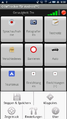
-
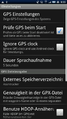 Settings
 -
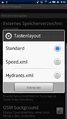 change layout
 -
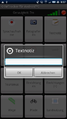 add a notice
 -
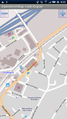 map and track view
 -
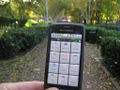 going for a stroll in the park
 -
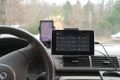 Tablet on a car dashboard


OSM Map background
When the setting "OSM background" is set and an Internet connection exists, the tiles of the current position will be downloaded and shown.
If no connection exists, the map will only be shown if the tiles were previously downloaded. This download can be done offline, the directory path where the tiles are stored is "sdcard/osmdroid/tiles/Mapnik/(zoomlevel)/...". Offline downloaded tiles need to be renamed from "*.png" to "*.png.tile" as a new extension.
External links
- Usage guide of OSMTracker from LearnOSM.
- Using the OSMTracker for Android to survey (YouTuve video).
- Custom buttons layouts.
- Setting up OSMTracker app on Android phone.
- How to map public transport on OSMTracker(es).