Mapweaver
Mapweaver is a Perl based rendering engine that takes a .osm file and generates SVG output. Mapweaver is the successor of Mapgen.pl. Mapgen has evolved too much and became a mess to maintain. So some new concepts were followed when porting mapgen to mapweaver:
- way more modules for better maintenance
- better configuration possibilities (ini file i.e.)
- easier rule file in text format (no more conversions needed)
- extended command line help (all options and are explained and possible attributes of objects listed).
- verbose and debug mode
- no more scaling in rules and command line options. everything is handled on 300dpi basis. less confusing.
- most map elements can now be moved to different locations
- some sizes in rules can scale between fromScale and toScale (minSize:maxSize)
Program is still under development... Looking forward to bug reports and wishes.
Outstanding features
- Fully automatic SVG map creation from OSM files (XML/bz2/pbf)
- Fully automatic download of needed data from overpass servers
- Add elevation data (SRTM) from separate file automatically
- Just call perl mwInteractive.pl if you don't want to bother with data and command line parameters
- Automatic conversion to PNG (different dpi) and PDF
- Automatic extraction of needed data out of OSM file; just specify a place name or node ID
- Way label replacement by numbers if way is too short - incl. legend/key in map (optional)
- Circles and discs around nodes
- Scale objects according to map scale
- Normal grid, coordinate grid, POI and Street Directory (with grid reference; and as PDF)
- Map legend (possibly in separate file)
- Map ruler
- Renders POIs from external POI file
- Renders Shields instead of names/refs if desired
- Label transformation, i.e. to use upper case letters for a given name
Sample files
Some samples can be found on the Mapgen.pl page since it basically is the same rendering machine. New samples here:
-
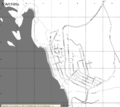 B/W
B/W -
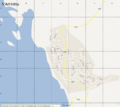 Google Maps like
 -
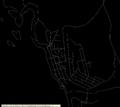 Wireframe
 -
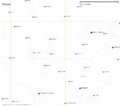 Places only
 -
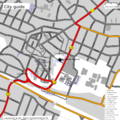 full city
 -
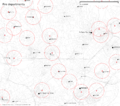 Firefighters range


Manual and Help
There is not yet a complete manual. But most parts of the mapgen manual can be used. For differences see output of command line option -help or here: Mapweaver/Help.
Installation
1. Make folder:
mkdir mapweaver
cd mapweaver/
2. Checkout subversion repository
svn co https://svn.openstreetmap.org/applications/utils/gary68 ./
3a. install dependencies
sudo apt-get install libcompress-bzip2-perl libgd-graph3d-perl libmath-polygon-perl
3b. if desired, osmosis for OSM related tasks, inkscape for dealing with svg files
sudo apt-get install osmosis inkscape
3c. install Geo::Proj4 and its dependencies:
sudo apt-get install proj libproj-dev libwww-perl libdbi-perl
sudo cpan Geo::Proj4
NOTE: The package proj is not available on recent Debian versions, instead install proj-bin and libproj0. Also, you might try first downloading from http://svn.osgeo.org/metacrs/proj/trunk/proj/src/ the files projects.h and proj_api.h then copy these files with admin privileges to /usr/include/ or /usr/local/include .
3d. latex packages for pdf export
sudo apt-get install texlive-latex-base texlive-binaries ghostscript
4. unpack icons.zip:
unzip -d icons icons.zip
5. create mwconfig.ini and copy the standard rules file into something editable which won't be touched by updates. Alternatively, just create a blank mwconfig.ini and edit the default mwStandardRules.txt itself.
echo "style=yourstyle.txt" > mwconfig.ini
cp mwStandardRules.txt yourstyle.txt
6. launch the program with
perl mw.pl -in=yourfile.osm
Updating
cd mapweaver/
svn update
Files
ini file
# config file
out=gerhard.svg
scaleset=25000
pdf=1
Rule file
The rule file format completely changed from Mapgen.
Empty lines and lines beginning with "comment" or "#" are allowed.
Some examples are on this page
Icons
Icon sets can be obtained here:
Wishes / Todos
- Coast line debug
- keep temp file under given name for further use
- random temp file name
- single icon for area
- ps/eps export
- license texts mapweaver, mapgen and dir.pl
- examine textures in PNG
- triangles for connecting page numbers
- declutter stats
- relation analyzer
- tag statistics
- scale patterns of areas
- multi language support (mwDir)
- extract places given by polygons/multipolygons?
- support borders better
- space management for route labels
Recently implemented
- Include elevation data from separate file; -srtm="filename" option added (0.47)
- mwInteractive added; output filename problem fixed (0.46)
- add overpass api access (0.44)
- fixed some errors; prevent errors caused by false OSM data (0.42)
- fixed some errors; draw only items inside drawing area to reduce memory needs for graphics conversion (0.40)
- show GPX files; Prg for directories can now be configured (0.37)
- new space management for labels and icons (0.36)
Source
If you checkout the svn, you shouldn't need to access the repository.