


Using OpenStreetMap

Here we present you some instructions on how you can use OpenStreetMap. It's an open project, so feel free to discover new ways which are not yet documented here!
If you search for a specific ready-to-use service based on OpenStreetMap, or you want to see an overview of what people already did with OpenStreetMap, please visit Applications of OpenStreetMap.
There is a special page on how to use OpenStreetMap without internet connection.
License and safety disclaimer
You can use OpenStreetMap mapping and data without charge subject to two conditions; firstly that you attribute your use of OpenStreetMap appropriately and secondly that you share any corrections or improvements back with the project as appropriate.
OpenStreetMap is not a complete or accurate map of the world and should not be used in such a manner that deficiencies, omissions, inaccuracies or errors could result in death, loss or injury. See here: Disclaimer.
It is particularly important to realize that the maps might not be reliable. The maps are an iterative, ongoing work-in-progress. We are aiming to produce maps which can be relied upon, equally well, or better than other maps. The openly-editable wiki nature of this mapping system may help us towards this goal, however it may also mean that there will always be some inaccuracies. You should make your own judgement about the accuracy of our maps. Always use our maps in conjunction with your senses, official sources and your common sense.
Maps
Ready-made online maps
There are many specialized online-maps which use OpenStreetMap as data source. Some examples:
-
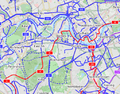 Bicycle map OpenCycleMap.org
 -
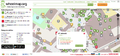 Wheelchair user map Wheelmap.org
 -
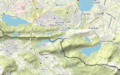 Outdoor and Leisure Map www.komoot.de
 -
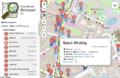 Allround map with thematic Overlays OpenStreetBrowser
 -
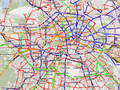 Public transport map ÖPNVkarte.de
 -
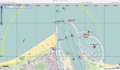 Sea map OpenSeaMap.org
 -
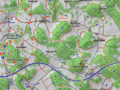 Horseriding and hiking map wanderreitkarte.de
 -
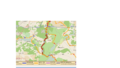 Hiking map with symbols waymarkedtrails.org
 -
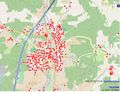 Fire map (Fire departments, hydrants) OpenFireMap.org
 -
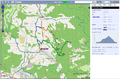 Mountainbike and cross country skiing map including routing and elevation profiles XCTrails.org
 -


Others may be listed on the OSM Services page, or under the Slippy Map and Web Software categories.
Export images from OpenStreetMap

To get a snapshot from the OpenStreetMap world map as an image file, use the export function.
Maps on your website

You can use the OpenStreetMap world map on your website, either as a static map image or with embedded HTML. If you deploy your own slippy map, things can get much more customized.
Maps on your GPS device
If you want to have a map based on OpenStreetMap on your GPS device, visit GPS Maps From OSM Data or OSM Map On Garmin for Garmin device.
Maps on your computer or mobile phone
See the Mobile Device and Desktop software pages.
Offline
See Using OpenStreetMap offline.
Create your own map
To create your own map, you need to get much more technical. The Software development section below gives you more details.
3D maps
You can get three dimensional city models from OpenStreetMap.
Usage examples
See subpage map examples.
GIS software
- Main article: GIS software
We try to document any special interoperability with OpenStreetMap for each GIS software. Try a search with the form on the top right of this page for your particular GIS software, or browse our Category:GIS software. There is also open source GIS software working together with OpenStreetMap.
There is also a whole bunch of tools converting map data from/ to OpenStreetMap data, including support for the popular ESRI Shapefiles and PostGIS format.
It is possible to download portions of OpenStreetMap's raw data (in .osm) that can be exported to a wide variety of formats (including SHP, POSTGIS, geojson) for many purposes, including use in professional GIS software.
Software
There is a wide variety of software available using OSM data and services. See Software page.
Software development

- Main article: Develop
There are general help pages for software developers using OpenStreetMap:
- switch2osm.org explains how to make the switch from other data services than OpenStreetMap.
- It may be helpful to learn how the OpenStreetMap software works.
- Also, OpenStreetMap runs on a relatively small server deployment for its size - see our notes on server hardware for details. There are also API v0.6 mirrors and Dev and Test APIs which help with testing code that interacts with the OSM API.
- list of research about software.
If you have questions, ideas or just want to meet fellow developers, contact the OpenStreetMap development community. We also listed some books related to software development with OpenStreetMap.
You may also wish to see the list of other projects collecting free geodata.
Web applications
It's easy to use data sources that use OpenStreetMap data within a web application. From Javascript, common ways to do this include using Leaflet or OpenLayers. Lots of other options exist for other frameworks too, including commercial ones that work in a similar way to commercial offerings that work with non-free data. See switch2osm.org for more details.
Libraries such as Leaflet and OpenLayers will need data sources that use OpenStreetMap data (e.g., a source of tiles to display). If you want to create your own data source that uses OpenStreetMap data, see switch2osm.org. Other options also exist, for example for vector tiles rather than raster.
Education
.jpg)
- Main article: Education
OpenStreetMap has created a unique curriculum that is focused on introducing the topics that OSM addresses: mapping, open source technologies, crowdsourcing and community efforts. It is geared towards university level students. Further, OpenStreetMap has several open problems which would make good student projects. These are items that need researching and "longer-term" issues which could be worked on by students as a project separate from the core open source development progress happening within the community.
Research
- Main article: Research
At the conference SotM-EU 2011, Muki Haklay gave a talk with advice to academics interested in OSM and the video is available online. See our Research page for details of academic research work.
Getting help
- Main article: Contact_channels
OpenStreetMap is a community: users work together and try to help each other. (Well, nearly always.) For help, and for other things, there are multiple ways to connect with people. Comprehensive list here.
You may find the Glossary helpful for specialist OSM language. Feel free 'pay it forward' and add to the list as you learn things.